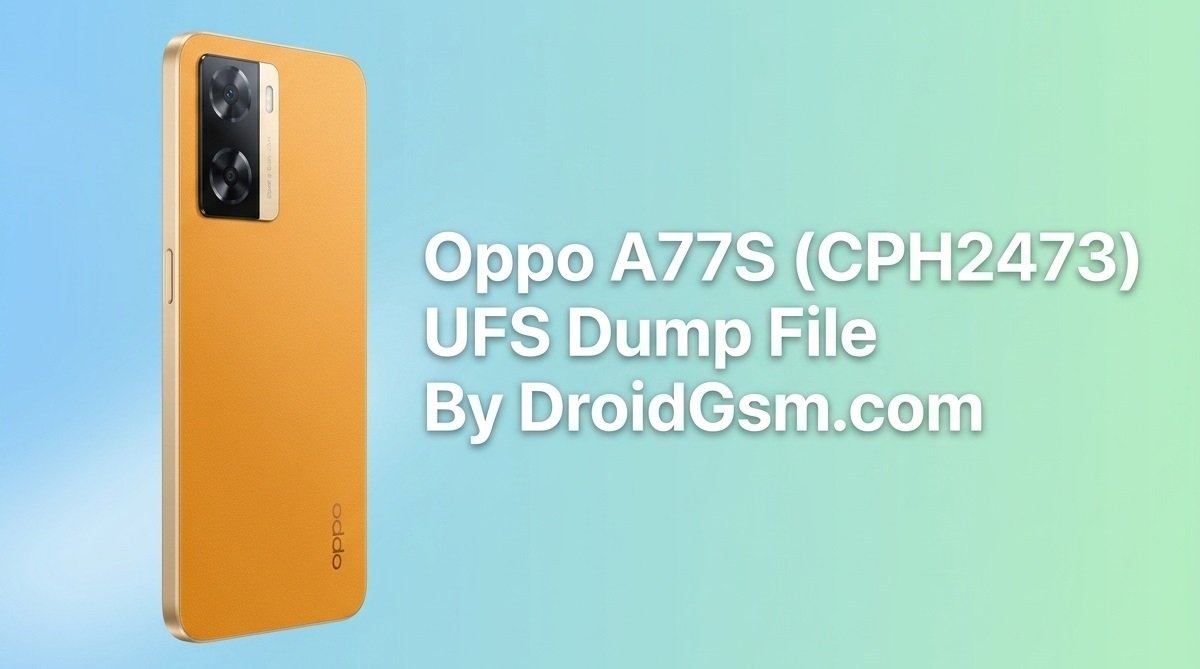
OPPO A77S (CPH2473) Dead Boot & Hang on Logo via UFS Reprogramming
-
- Model Name: OPPO A77s (CPH2473)
- Processor (SoC): Qualcomm SM6225 Snapdragon 680 4G (6 nm)
- Storage Architecture: UFS 2.2 (Requires a dedicated UFS socket or specialized high-frequency ISP lines)
- RAM Capacity: 8GB LPDDR4X
- Operating System: ColorOS based on Android 12 / 13
-
- Hardware Box:- Easy-Jtag Plus Box or F64 Ultra Box.
- UFS Socket/ISP Adapter:- A BGA153 UFS chip socket or high-quality ISP adapter boards. (Desoldering the chip and utilizing a UFS BGA socket is highly recommended due to the strict signal integrity requirements of UFS 2.2).
- Security Partitions:- Remember to back up or safeguard original device partitions containing network and IMEI parameters (
modem,opporeserve, etc.) if the chip is still readable.
-
- Carefully desolder the UFS IC from the motherboard and clean the pads. Fit the IC securely into your Easy-Jtag UFS BGA Socket.
- Launch the EasyJtag Plus UFS Tool Suite application.
- Configure voltages to
VCC: 2.8VandVCCQ: 1.8V. Click Connect EasyJtag Box. - Check the chip’s health report (Smart Report). If the storage lifetime is depleted, the UFS IC must be replaced.
- Head over to the Flasher / Write layout.
- Assign the extracted, clean OPPO A77s UFS Dump File chunks into their respective LUN segments (
LUN0,LUN1,LUN2, etc.). - Click Write Device to program the raw boot structures back onto the storage chip.
-
- Open the latest F64 Box Software interface.
- Navigate to the designated UFS Tab before triggering an integration check. According to standard operating firmware rules, when the software remains explicitly in the UFS Tab, the box operates purely via the UFS protocol, bypassing auto-detect lag.
- Click Detect IC to map out the Snapdragon 680 partition framework.
- Import the validated firmware partition binaries or the raw UFS dump directly into the tool’s writing directory.
- Click Write to flash the device sectors. Ensure the power environment remains entirely undisturbed during programming.
-
- Reball the programmed UFS IC and carefully solder it back onto the phone’s circuit board.
- Assemble the basic components and link the phone to a steady DC power supply or full battery.
- Power the device on. If the phone defaults straight into a recovery console, use the volume buttons to perform a comprehensive Factory Reset / Wipe Data.
- Reboot the system, and the device will successfully transition past the boot loop into the ColorOS home setup screen.
LUN0 through LUN5) extracted from a fully operational device:-File Read F64 Box Log:-
File System: (EROFS) Enhanced Read-Only File System
Manufacturer: OPLUS
Brand: OPLUS
Device Model: CPH2473 CPH2473
Market name: CPH2473 OPPO A77s
Device Code: bengal
Device Name: ossi
Android OS Version: 12 – Android 12 (Snow Cone)
SDK Version: 31
FW Build Date: Tue Dec 13 16:11:33 CST 2022
Build Fingerprint: oplus/ossi/ossi:12/SKQ1.220303.001/1670919093816:user/release-keys
Security Patch: 2022-12-05
SoC Info: bengal Snapdragon 662 SM6115
Architecture: arm64-v8a
Target Market: en-US
FRP: /dev/block/bootdevice/by-name/frp
Android Active Boot Slot: Slot A [_a]
UFS Active Boot Slot: Boot LU A
Market Name: CPH2473
NV Id: 10000011
Project Id: 22071
Region: SA_all
Firmware Id: CPH2473_11_A.01
Firmware Id (Full): CPH2473_11_A.01_221213
Firmware Type: export
OTA: CPH247322071_11.A.08_0080_202212131744
[frp] FRP Lock: Not Active
Read Task LUN0
Logical Block Address: 0x0000000000000000
Number of Bytes: 11,338,326,016 Bytes (10.56 GB)
Starting…
Read Task Duration: 00:32:21
Average Transfer Speed: 5.57 MB/s
Read Task LUN1
Logical Block Address: 0x0000000000000000
Number of Bytes: 8,388,608 Bytes (8.00 MB)
Starting…
Read Task Duration: 00:00:01
Average Transfer Speed: 5.55 MB/s
Read Task LUN2
Logical Block Address: 0x0000000000000000
Number of Bytes: 8,388,608 Bytes (8.00 MB)
Starting…
Read Task Duration: 00:00:01
Average Transfer Speed: 5.55 MB/s
Read Task LUN3
Logical Block Address: 0x0000000000000000
Number of Bytes: 33,554,432 Bytes (32.00 MB)
Starting…
Read Task Duration: 00:00:05
Average Transfer Speed: 5.56 MB/s
Read Task LUN4
Logical Block Address: 0x0000000000000000
Number of Bytes: 1,375,731,712 Bytes (1.28 GB)
Starting…
Read Task Duration: 00:03:55
Average Transfer Speed: 5.57 MB/s
Read Task LUN5
Logical Block Address: 0x0000000000000000
Number of Bytes: 578,813,952 Bytes (552.00 MB)
Starting…
Read Task Duration: 00:01:39
Average Transfer Speed: 5.57 MB/s