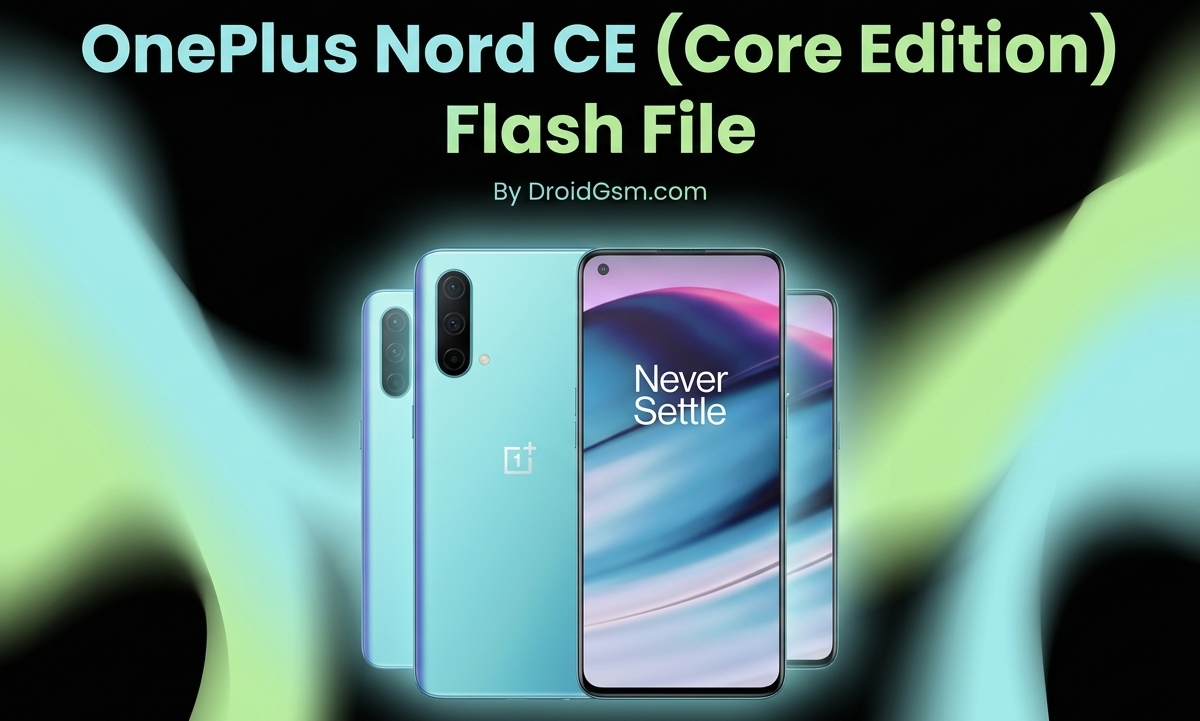
Flashing the OnePlus Nord CE (Core Edition) Series
Here is a simplified guide about flashing your OnePlus Nord CE. It covers what the files mean, how it works, what the phone offers, and the risks involved.
OnePlus Nord CE Fast Overview (Specs):-
Before changing the software, it helps to know what hardware is inside the phone.
-
- Screen: 6.43-inch fluid AMOLED display with a smooth 90Hz refresh rate.
- Processor: Qualcomm Snapdragon 750G 5G chip.
- Battery: 4500mAh power capacity.
- Charging: 30W fast charging (0% to 70% in about 30 minutes).
- Main Camera: 64 Megapixel rear camera.
- Extra Feature: Built-in 3.5mm headphone jack.
What is a “Flash File”? (Technical Made Easy):-
Think of flashing as wiping your computer clean and reinstalling Windows. On a phone, the Flash File (also called a Stock ROM) is a .zip folder containing the entire Android Operating System.
Inside that folder, the most important parts are:-
-
payload.bin:- This is a giant locked box that holds the main software parts like the core system files, default apps, and wallpapers.boot.img:- This controls the startup sequence. It acts like the key that starts the phone’s engine when you press the power button.prog_firehose...elf:- A special translation file. It tells your computer exactly how to talk directly to the phone’s storage chip.- MsmDownloadTool:- The official factory computer software used to push all these files into a dead phone to bring it back to life.
How the Flashing Process Works:-
There are two main ways files are loaded onto the phone:-
-
- Fastboot Mode:- Used when the phone still turns on. You connect it to a computer and type simple commands to change parts of the software.
- EDL Mode (Emergency Download): Used when the phone is completely dead or frozen on a loading loop. By holding down the Volume Up + Volume Down buttons while plugging it into a PC, the computer opens a secret backdoor directly to the Snapdragon chip to force-install the software.
OnePlus Nord CE India EB13DA/R
OnePlus Nord CE EU EB13BA/R
The Risks of Flashing (What Can Go Wrong):-
Flashing is powerful, but a single mistake can ruin your device. Here is what you need to watch out for:
-
- The Phone Dies Permanently (Bricking):- If the USB cable accidentally unplugs or your PC shuts down while flashing, the phone’s internal storage gets corrupted. The phone might never turn on, vibrate, or charge ever again.
- Loss of Network Signal (No IMEI):- Your phone has unique identity numbers (IMEI) stored in a hidden folder. If a flash file overwrites this folder, your phone will permanently lose cell service. It will become a tablet that cannot make calls or use mobile data.
- Wrong Version Errors:- OnePlus makes different versions of the Nord CE for India, Europe, and global markets. If you accidentally flash an Indian software file onto a European phone, the screen might go black or features like Wi-Fi will stop working.
- Banking Apps Stop Working:- Modifying the software breaks Google’s built-in security checks. As a result, banking apps, Google Wallet, and high-quality HD streaming on Netflix may be blocked on your phone.
Best Practices Before You Start:-
Always back up your photos and data, as flashing completely wipes the device clean. Make sure your phone battery is charged to at least 50% before connecting it to a computer.