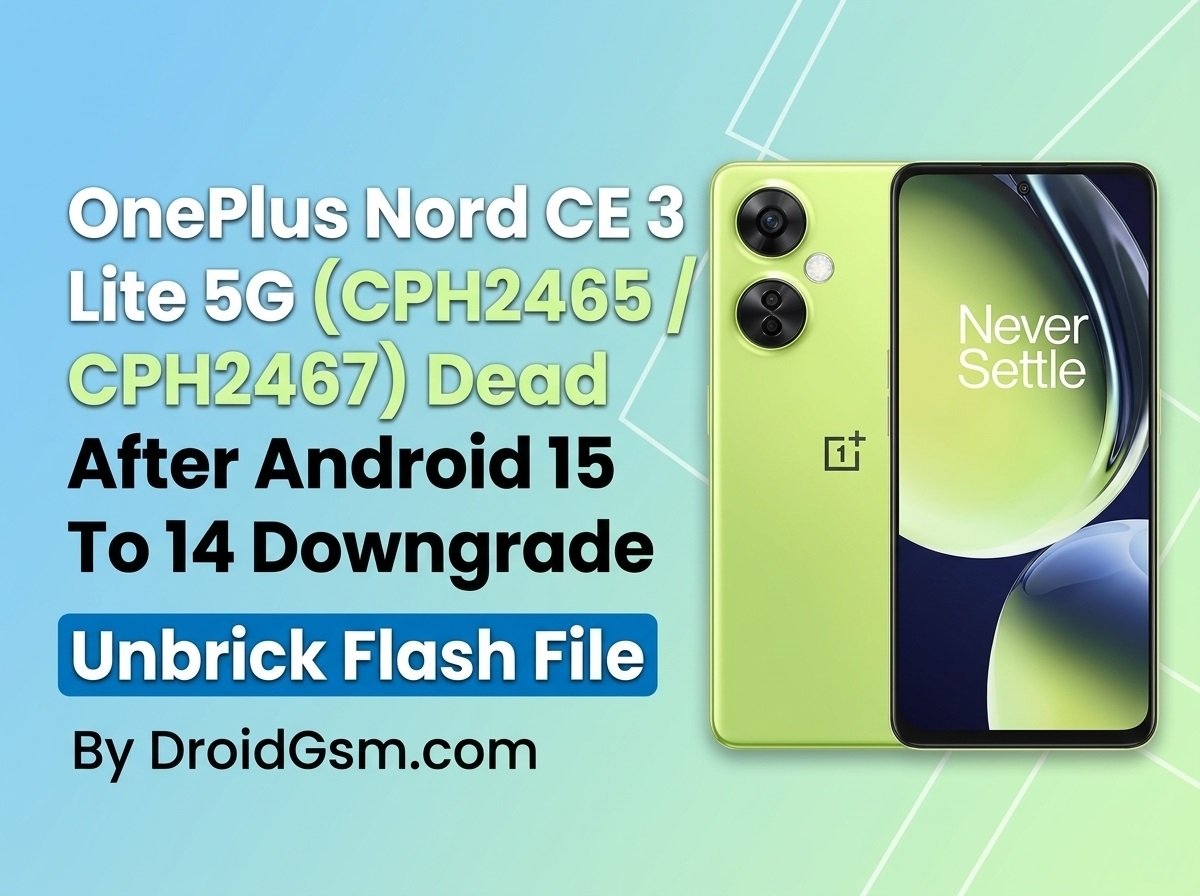
OnePlus Nord CE 3 Lite 5G (CPH2465/CPH2467) Dead After Downgrade
A significant number of OnePlus Nord CE 3 Lite 5G users have experienced a complete hard brick after attempting to downgrade their software from Android 15 (OxygenOS 15) back to Android 14 (OxygenOS 14) using official rollback OTA packages. If your device suddenly lost power, refuses to turn on, shows no charging animation, and is only recognized by your PC as Qualcomm HS-USB QDLoader 9008, your device is hard-bricked. This happens due to a bootloader conflict introduced by the modern security patches in Android 15. Fortunately, you can recover your phone using the Qualcomm EDL (Emergency Download) Mode and the official stock firmware. Follow this guide carefully to restore your device.
OnePlus Nord CE 3 Lite 5G Specifications:-
To verify your exact hardware variants during setup, refer to the core specifications below:-
-
- Model Variants: CPH2465 (Global / EU) and CPH2467 (India)
- Display: 6.72-inch IPS LCD panel with a 120Hz refresh rate and FHD+ resolution
- Processor: Qualcomm Snapdragon 695 5G (6 nm octa-core chipset)
- Memory & Storage: 8GB LPDDR4X RAM paired with either 128GB or 256GB of UFS 2.2 internal storage
- Rear Camera System: Triple camera setup featuring a 108 MP (Wide) main sensor, a 2 MP macro lens, and a 2 MP depth sensor
- Front Camera: 16 MP single selfie shooter
- Battery & Power: 5000 mAh non-removable battery supporting 67W SUPERVOOC fast wired charging
- Software Out of Box: Android 13 with OxygenOS 13.1 skin layered on top
- Build & Weight: Weighs approximately 195 grams, constructed with a glass front, plastic frame, and a glossy plastic back panel
Prerequisites & Tools Needed:-
Before proceeding, ensure you have a Windows PC and a high-quality USB cable. You will need to download the following resources:
- Official Qualcomm USB Drivers: Needed for your PC to communicate with your device in 9008 mode.
- OplusFlashTool / MSM Download Tool: The official flashing utility used by service centers for OnePlus/Oppo devices.
- Official Stock Firmware (ROM):
-
- Model CPH2467 (India): Download CPH2467 Stock Firmware.
- Model CPH2465 (Global/EU): Download CPH2465 Stock Firmware.
-
Step-by-Step Recovery Guide:-
Warning:- Unbricking via EDL mode completely wipes all user data on the device. Make sure your PC is connected to a reliable power source during this process.
Step 1:- Install Qualcomm Drivers:-
- Download and extract the Qualcomm USB Driver package on your PC.
- Right-click the installer executable, select Run as Administrator, and complete the installation setup.
- Restart your computer to ensure the drivers register correctly.
Step 2:- Boot Your OnePlus into EDL Mode (9008):-
Since the device is already hard-bricked, it may automatically be stuck in EDL mode.
- Open the Device Manager on your Windows PC.
- Connect your turned-off OnePlus Nord CE 3 Lite to the PC using a USB cable.
- Look under the Ports (COM & LPT) section.
-
- If it reads
Qualcomm HS-USB QDLoader 9008 (COMX), your phone is ready. - If it doesn’t show up, disconnect the cable. Hold down both the Volume Up and Volume Down buttons simultaneously, and plug the USB cable back into the PC while holding them. Release the buttons once the PC detects the device.
- If it reads
-
Step 3:- Configure the Flashing Tool:-
- Download and extract the Official Stock Firmware package matching your exact model version (CPH2465 or CPH2467).
- Launch the OplusFlashTool.exe (or standard MSM Download Tool provided within the package).
- If prompted for a login, select Others as the user type or use an authorized tool patch if your firmware build requires no auth server login.
- Click on Load or Import and select the target firmware file from your extracted ROM folder.
Step 4:- Flash the Firmware and Unbrick:-
- Once the firmware loads successfully into the software, click the Verify or Start button at the top of the interface.
- The tool will automatically detect your phone on the designated COM port and begin pushing the stock image partitions (
boot,system,vendor, etc.).
- Wait 5 to 10 minutes for the progress bar to turn green and display a Success or Download Complete message.
- Once completed, disconnect your phone. It will automatically reboot into the fresh, stable Android 14 setup environment. (The initial boot may take up to 5 minutes).
OnePlus Nord CE 3 Lite 5G (CPH2465/CPH2467) Flash File
CPH2465 CPH2467 Dead After OTA Downgrade Update Fix export_11_15.0.0.1600EX01_2026010522020228
Password:- CpH2465DroidGsmCpH2467
Warning:- Unbricking via EDL mode completely wipes all user data on the device. Make sure your PC is connected to a reliable power source during this process. Flashing a custom ROM or stock firmware on your OnePlus Nord CE 3 Lite 5G carries significant risk and should only be done if you accept full responsibility for your device.